Showing posts with label Blogger. Show all posts
Showing posts with label Blogger. Show all posts
Friday, May 13, 2011
Build Your Rank
Maintaining a website is sometimes hard to do. Updating it everyday, putting new contents and building it is sometimes rough, but it is a lot of fun as well. You can learn more everyday and will discover more in this field. I do have a personal website and I always make it a point that I put new contents their that are readable, interesting, fun to read, interesting and my readers could learn something from the articles they read. It helps build my rank and gives me more opportunity in the long run. I also register in web directories to be more exposed in different avenues. Doing so is fun stuff and it can bring a lot of opportunities on your end.

Thursday, March 19, 2009
Follow others blog is very easy
If you like somebody's blog, you tend to visit it everyday. To make it more easier, you'll end up joining his or her community. I know everyone know how to do this already. It is a very easy step to do but it doesn't hurt if we'll review it once again. Bloggers getting started guide has been very helpful and will give you a step by step procedure to give your blog a more productive content.
Follow other blogs
With the Blogger Following feature you can keep track of the blogs you follow via your Reading List on the Blogger dashboard. There are several ways to become a follower of a blog. One of the easiest ways is to visit a blog that has added the 'Following' widget, ad then follow these steps:
- Click the FOLLOW THIS BLOG link under the 'Followers' widget.
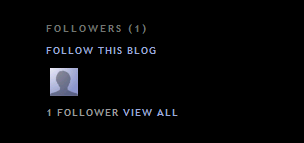
- You'll then see a pop-up window with the options to either follow publicly or anonymously.
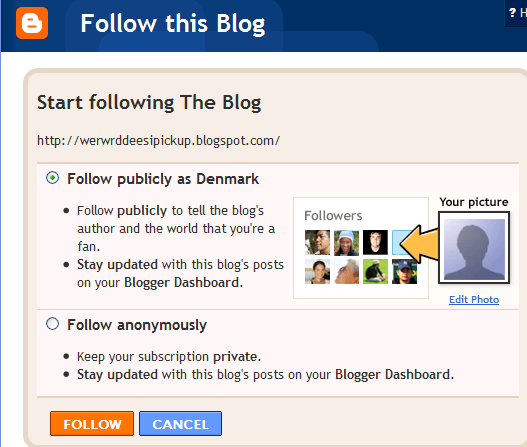
- Select how you'd like to follow the blog, then click the orange FOLLOW button. You're now a follower of the blog! If you chose to follow the blog publicly, your profile picture will be displayed on the blog with a link to your Blogger profile.
- When you become a follower of a blog, the blog will also be added to your Reading List on your Blogger dashboard. Additionally, you can become a follower of any blog or URL (even if the blog doesn't have the 'Followers' widget) by adding the blog to your Reading List on the dashboard.
Page Rank is back
I was so surprised this morning because as I wen to my blog, my page rank is back. I have been working on this to get it back now it's back, I am just so happy that it's back and I will make it sure, I will maintain this and improve more. I told my husband about this and he was happy too, He knew that I have been wanting my page rank back and now it's here, I thank God so much.
Wednesday, March 18, 2009
How do I control who can view my blog
Can I control the viewers of blog? The answer is yes but I guess everyone wants their blog to be viewed by anybody else. but just in case you want to control the viewers of your blog, here's what your going to do.


By default, your blog is completely public, and can be read by anyone on the internet. However, if you want to keep it private, you can do that, too. The setting for this is on the Settings | Permissions tab.
Under the Blog Readers heading, you'll probably see "Anybody" selected as the default. When you change this to "Only readers I choose," you'll get an Add Readers button.
Click the Add Readers button and then enter the email address of a person to whom you want to grant access to your blog. To add multiple people, separate their addresses with commas.
For each address entered, the Google Account associated with that address will be given access to view your blog. If an address is not associated with an account, that person will be sent an invitation email with a link allowing them do one of three things:
- Sign in to an existing account.
- Create a new account.
- View your blog as a guest (no account required).
In the first two cases, the reader will be given permission to view your blog whenever they are logged in to their Google Account. As a guest, they'll be able to continue viewing your blog through the link in the invitation email, but this will expire after two weeks. After that, they'll need a new invitation.
If you want to revoke someone's access to your blog, simply click the remove link next to his or her name in the Blog Readers list. You can also toggle back to the "Anybody" option any time you decide to make the blog completely public again.
Note: If you publish your blog via FTP to your own server, the Blog Readers option will not be available. This is because Blogger has no control over who can access web pages on your server. However, you can contact your hosting provider to find out about any support they may offer for restricting access to your site.
Subscribe to:
Posts (Atom)